
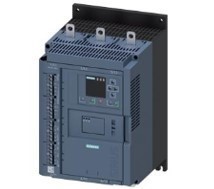
959698 reasons for failure of Siemens 3RW44 soft starter
Published:2023-02-17 16:38:25
3RW44 Soft starter 95,96,98 is a comprehensive fault, what causes it to operate?
95,96,98 reasons for failure of Siemens 3RW44 soft starter
95,96,98 is the normally open normally closed integrated fault contact with a common point, 95 is the common point, 95/96 is the normally closed contact, 95/98 is the normally open contact. When a fault occurs, it will cause contact action. For details about the faults that cause comprehensive fault actions, see "Diagnosis and Status Information" in the system manual. Please note that this contact only operates in the case of failure, warning does not operate.
Give the 3RW44 soft starter stop signal, will the fan stop immediately?
A9:3RW44 Soft fan is powered from the control power supply. When the soft starter is given a starting signal, the fan starts to run. When the soft starter is given a stop signal, the fan will not stop immediately, but will run for a period of time (about ten minutes).
-
 202301-11
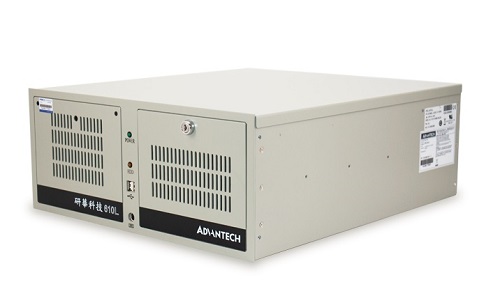
Advantech industrial computer main features and use precautions
The main characteristics of Advantech industrial computer:1. Advantech industrial computer requires the ability to continuously work for a long time.2, the chassis has a special power supply, the powe···
-
 202212-29
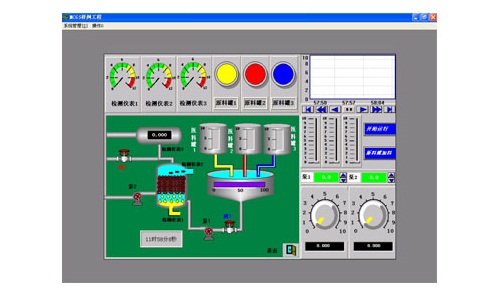
The composition of the configuration software of Kunlun MCGS embedded version
The user system generated by MCGS embedded version is composed of five parts: main control window, device window, user window, real-time database and operation strategy.1, the main control window: the···
-
 202304-07
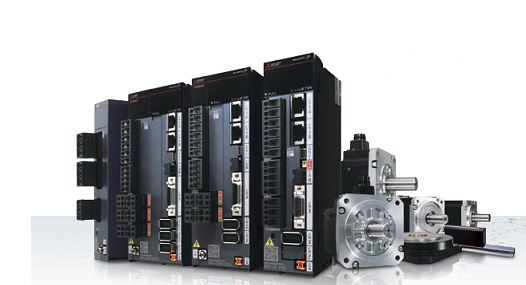
Mitsubishi plc program lost backup program write method
The plc program is lost because of the lack of battery power supply for the user to save the program, pc internal circuit problems, lightning strikes and other external high voltage impact caused by t···
-
 202308-03
Mitsubishi inverter commissioning procedure before use
First, Mitsubishi inverter no-load power test.1. Ground the ground terminal of the Mitsubishi frequency converter.2 Connect the power input terminal of the Mitsubishi inverter to the power supply thro···
-
 202302-09
Step of MCGS screen upload program
1. Install the MCGS configuration software on the computer first, and then find a power supply to power the touch screen. Connect the screen to the computer with the communication cable, and you can o···


 +86 13811814778
 +86 13811814778
 Building 26, Liyuan Community, Chaoyang District, Beijing, China