
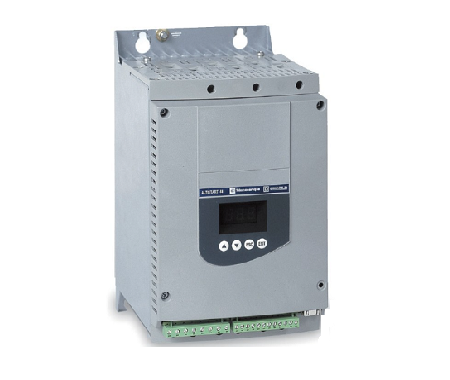
Schneider soft starter fault alarm maintenance method
Published:2023-06-15 10:02:15
1, Question -F 05(frequency error) :
This problem is because the soft starter presents a problem when processing the internal power signal, causing a power frequency error. This situation needs to consult the company's product development software design engineer to deal with. Mainly to improve the design of power supply circuit.
2. Problem -F 07(starting overcurrent) :
Starting overcurrent is caused by the load is too heavy and the starting current exceeds 500% times. To deal with this, the internal function code "0" (starting voltage) is set higher, or the function code "1" (rising time) is set longer, which can be set to: 30 -- 60S. There is also the function of the code "4" the current limit value is set properly, generally can be 2-3 times.
3. Problem -F 03(overheating) :
This problem is caused by the frequency of starting the soft starter in a short period of time. We should inform the user that the number of starts should not exceed 12 times per hour when operating the soft starter.
4, the reason -F 04(input phase missing) :
There are many factors that can cause this problem, some of which are listed below:
(1) Check whether the wiring between the incoming power supply and the motor is loose;
(2) Whether the output is connected to the load, and whether the load matches the motor;
(3) Use a multimeter to detect whether there is a breakdown in the module or thyristor of the soft starter, and whether their trigger gate resistance meets the requirements under normal circumstances (generally around 20-30 euros);
(4) Whether the internal wiring socket is loose.
These factors may lead to the occurrence of this problem, only need to carefully detect and make the correct discrimination, can be eliminated.
5. Question -F 01(instant stop) :
The problem is that terminals 7 and 10 are open, and it can be solved by short connecting terminals 7 and 10 with a wire. The cause of this problem is generally because the external control wiring is wrong and led, if the user does not have a special need for external control, we can tell the user to simply set the internal function code "9" (control method) parameter to "1" (keyboard control), it can prevent this problem.
6. Question -F 06(parameter error) :
To present this problem, you need to enter the factory value once from the beginning. Specific operation: First disconnect the soft starter control power (communication 220V), hold down the "PRG" key on the soft start control panel with a finger, and then send the control power of the soft starter, release the "PRG" key after about 30 seconds, and enter the current factory value from the beginning.
7. Problem -F 02(starting time is too long) :
The problem is that the current limit value of the soft starter is set too low, which makes the starting time of the soft starter too long. In this case, we can set the parameters of the function code "4" (limiting the starting current) inside the soft starter higher, which can be set to 1.5-2.0 times. It is necessary to pay attention to whether the motor power size matches the power size of the soft starter. If it does not match, in the case of a large difference, the parameters are set to 4-5 times, and the internal silicon module or thyristor will be burned out due to excessive current after starting for a period of time.
8. Problem -F08 (running overcurrent) :
The main reason for this problem may be that the module or thyristor heats up during operation because the load is too heavy. You can check whether the load matches the power size of the soft starter, and try to use how much soft to drag how much motor load.
9, Problem -F 09(output phase missing) :
It is mainly to check whether the incoming and outgoing cables are loose, whether the soft output phase is broken or whether the motor is damaged.
-
 202307-13
MOXA switch common faults and solutions
1. The physical layer is faultyPhysical layer faults refer to the hardware faults of the switch and the physical lines connecting to the switch.1. The hardware is faulty2. The physical cable is faulty···
-
 202302-07
WEINVIEW TK6070ih touch screen into the system setting what are the methods?
1. Generally, there is a small black arrow button in the lower right corner of the touch screen. After clicking and entering the correct password, you can enter the system Settings. However, during co···
-
 202301-09
Schneider frame circuit breaker MT circuit breaker failed to close the switch problem
Schneider structural circuit breaker has not stored energy (check the power supply of the energy storage motor, if normal check whether it can be manually stored energy)MX shunt coil live (disconnect ···
-
 202303-03
How to set the English window of MCGS touch screen
Open the Kunlun touch screen programming software and select the Multi-Language Configuration icon from the Edit menuIn the Multilingual Configuration window that appears, select File and click Open.S···
-
 202309-14
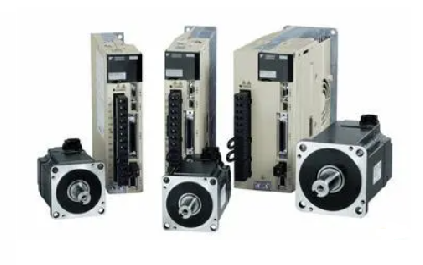
Yaskawa servo drive debugging method steps
1. Basic wiringThe main power input is 220V, which is connected from L1 and L3 (the actual use should refer to the operation manual); Control power input r, t can also be directly connected - 220V; Mo···


 +86 13811814778
 +86 13811814778
 Building 26, Liyuan Community, Chaoyang District, Beijing, China