
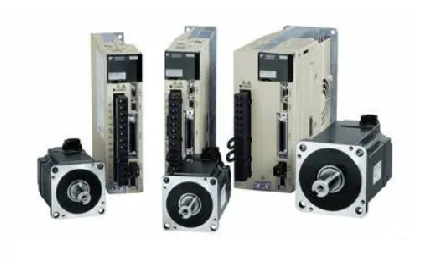
Yaskawa servo drive debugging method steps
Published:2023-09-14 14:57:39
1. Basic wiring
The main power input is 220V, which is connected from L1 and L3 (the actual use should refer to the operation manual); Control power input r, t can also be directly connected - 220V; Motor wiring see page 22, 23 of the operation manual, encoder wiring see the operation manual, do not connect wrong.
Second, test steps
1.JOG test machine function Yaskawa servo can be tested only according to basic wiring; When the digital display is in the initial state 'r 0', press the 'SET' key, then press the 'MODE' key continuously until the digital display is' AF -- AcL ', then press the up and down keys to 'AF-JOG'; Press the 'SET' key to display 'JoG -' : press and hold the '^' key until 'rEAdy' is displayed; Hold down the '<' key until 'SrV-on' is displayed; Press and hold the '^' key to rotate the motor counterclockwise, press the 'V' motor to rotate clockwise, and its speed can be set by the parameter Pr57. Press 'SET' to end.
2. Yaskawa servo internal speed control mode COM+ (7-pin) is connected to +12 -- 24VDC,COM- (41-pin) is connected to the DC source; SRV -- ON (pin 29) connected with COM-; Parameter No.53 and No.05 should be set to 1: (Note that such parameters should be written into EEPROM after modification and re-powered) Adjust parameter No.53 to make the motor rotate. The parameter values are the rotational speed, with positive values for counter-clockwise rotation and negative values for clockwise rotation.
3. Yaskawa servo position control mode
COM+ (7-pin) is connected to +12 -- 24VDC, and COM- (41-pin) is connected to the DC power source; SRV -- ON (pin 29) is connected to COM-LUS1 (pin 3), SIGN1 (pin 5) is connected to the positive terminal of the pulse source (+5V); PLUS2 (pin 4) is connected to pulse signal, SIGN (pin 6) is connected to direction signal; Parameter No.02 is set to 0, No42 to 3, and No43 to 1. PLUS (4 pins) into the pulse signal, can make the motor rotation; Change SIGN2 to change the motor steering. In addition, adjusting parameters No.46 and No.4B can change the number of pulses required per revolution of the motor (that is, electronic gear).
-
 202303-03
MCGS touch screen 485 communication precautions
1. Variables in the real-time runtime cannot simultaneously add channels and use functions to send data.2. In the parent device of the universal serial port, COM port indicates 232 or 485. In touch, C···
-
 202305-05
Delta inverter long-term idle points for attention
After the frequency converter is used for more than half a year, if the equipment is to be run again, the chance of damage may be greatly increased because of the placing environment, the service life···
-
 202212-30
What are the main items of Omron plc overhaul?
1. Check the power supply. Check whether the voltage change range at the power terminal is within the allowable ±10% range.2. Work environment. Focus on checking whether the temperature, humidity, vi···
-
 202307-07
The alarm code cause and diagnosis method of the cabinet air conditioner of Rittal
Alarm code: A01System message: Open the cabinet doorAir conditioning cause: The opening and closing position is incorrectDiagnostic method: Check the transition position of the door and, if necessary,···
-
 202308-31
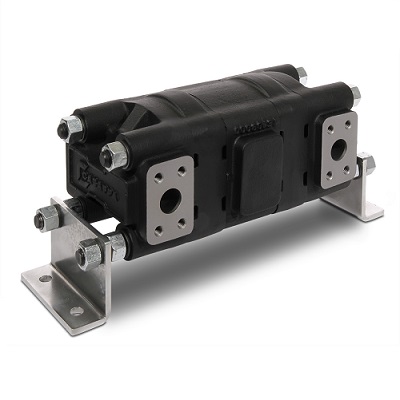
What are the applications of CASAPPA synchronous motors?
1, as a flow distribution device, according to the system requirements to distribute the output flow of the pumpIf the shaft is equipped with multiple sets of plain bearings, it is required to ensure ···


 +8618621383628
 +8613811814778
 info@zhongpingtech.com
 Building 26, Liyuan Community, Chaoyang District, Beijing, China